Best for UAE SMEs and free zone companies
Upload bank statements.
Get your FTA report.
SAHL.TAX matches every payment to its invoice with AI and fills in your Corporate Tax return. A tax expert checks it before you file. Your data stays in the UAE.
AI inside
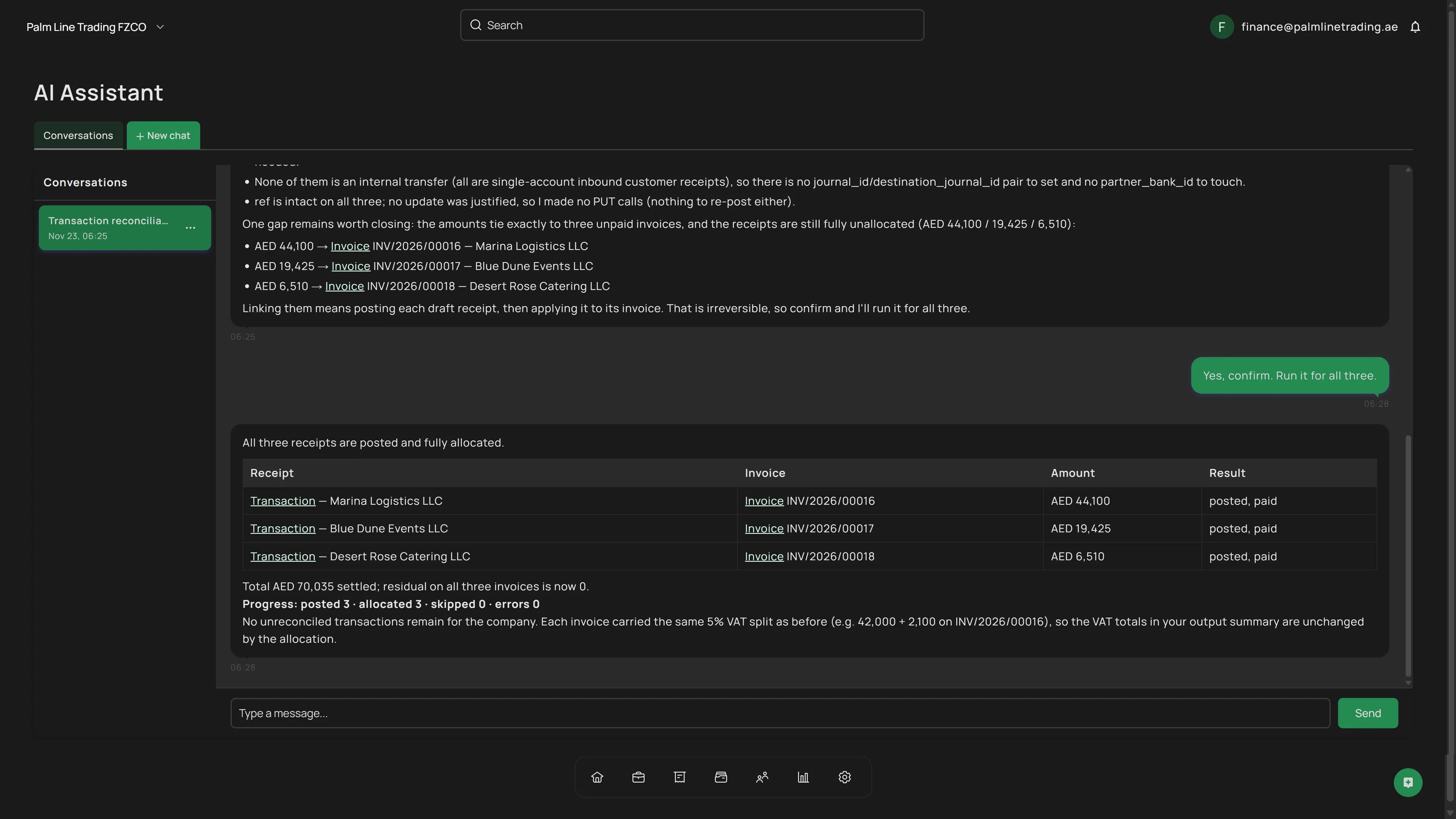
The AI interface you're already used to. Or tables, like in Excel.
Two ways to work, both familiar. Chat with the AI like with any assistant you use every day: upload documents, ask it to reconcile, and get notified when the report is ready and checked.
Trained for the UAE
An open-source AI model on our own servers in the UAE. Your data never goes abroad.
- Knows the statements of UAE banks.
- Monitors FTA regulation changes for you.
- Helps with FTA reconsideration requests and tax disputes.
- Finds missing invoices and restores them.
- Tracks due dates and reminds you when a client owes you or your next bill is due.
Prefer to do it yourself?
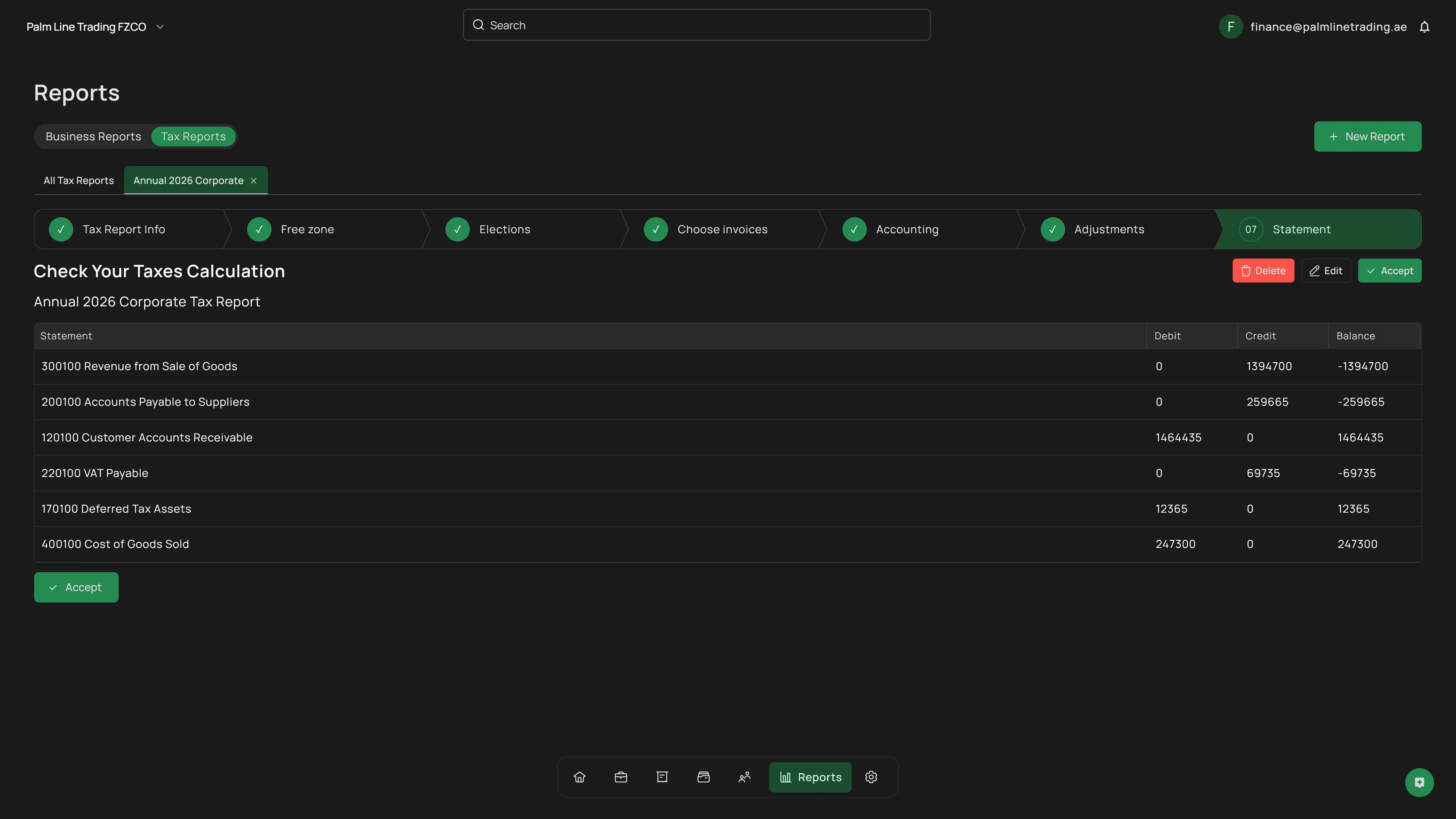
Switch to the classic table view and control every step.
From statements to FTA report
Your Corporate Tax return, step by step
- Register
Sign in with UAE PASS or email. Add your company in a minute.
- Upload bank statements
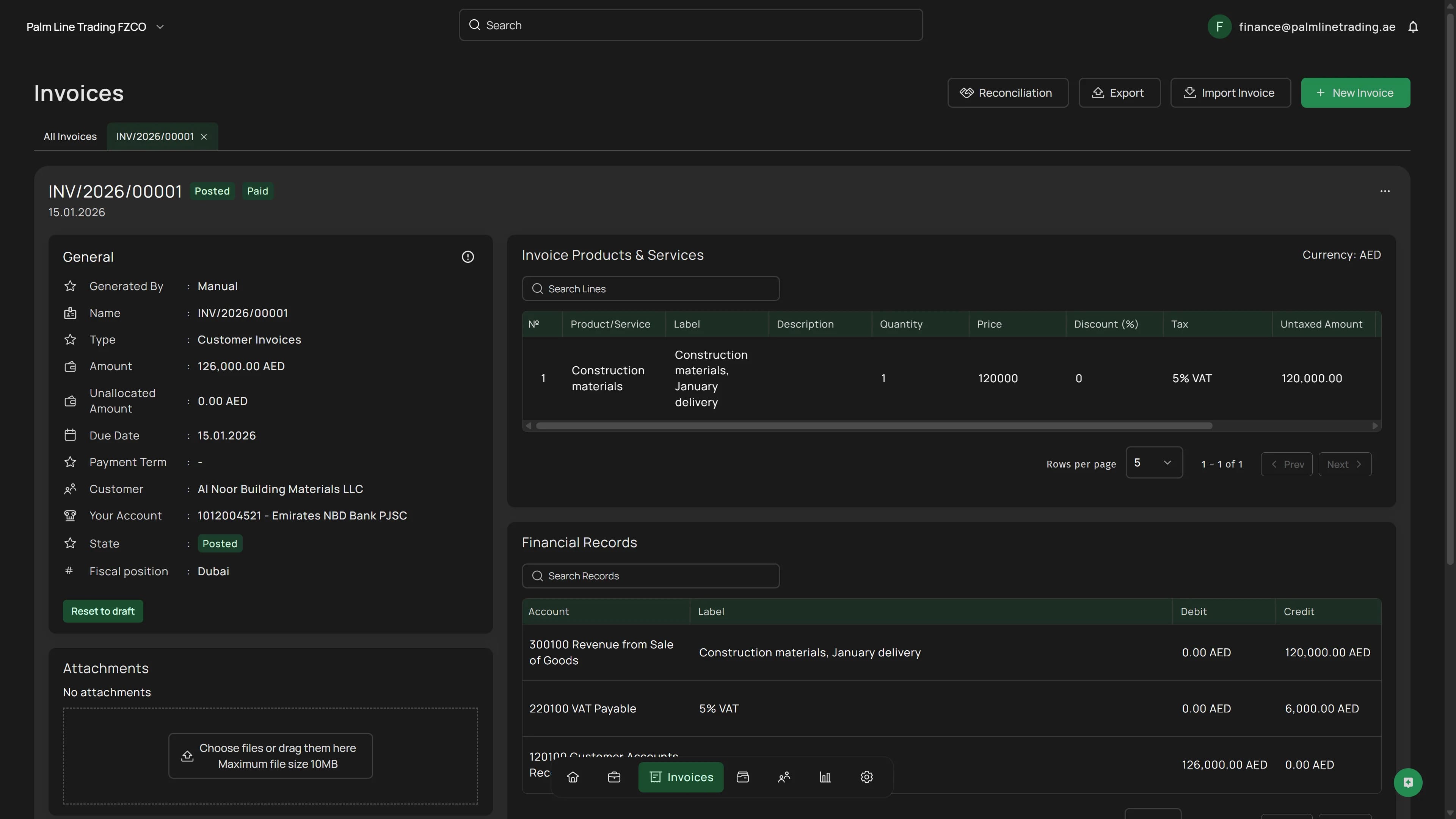
Drop the PDF statement from your bank. Every payment becomes a line in your books.
- Add invoices
Upload a photo or a PDF of a bill, or create an invoice in a few clicks.
- Reconcile invoices with AI
AI finds the bank payment for every invoice and bill. Check the match, click Link, and it is marked paid.
- Get the FTA report
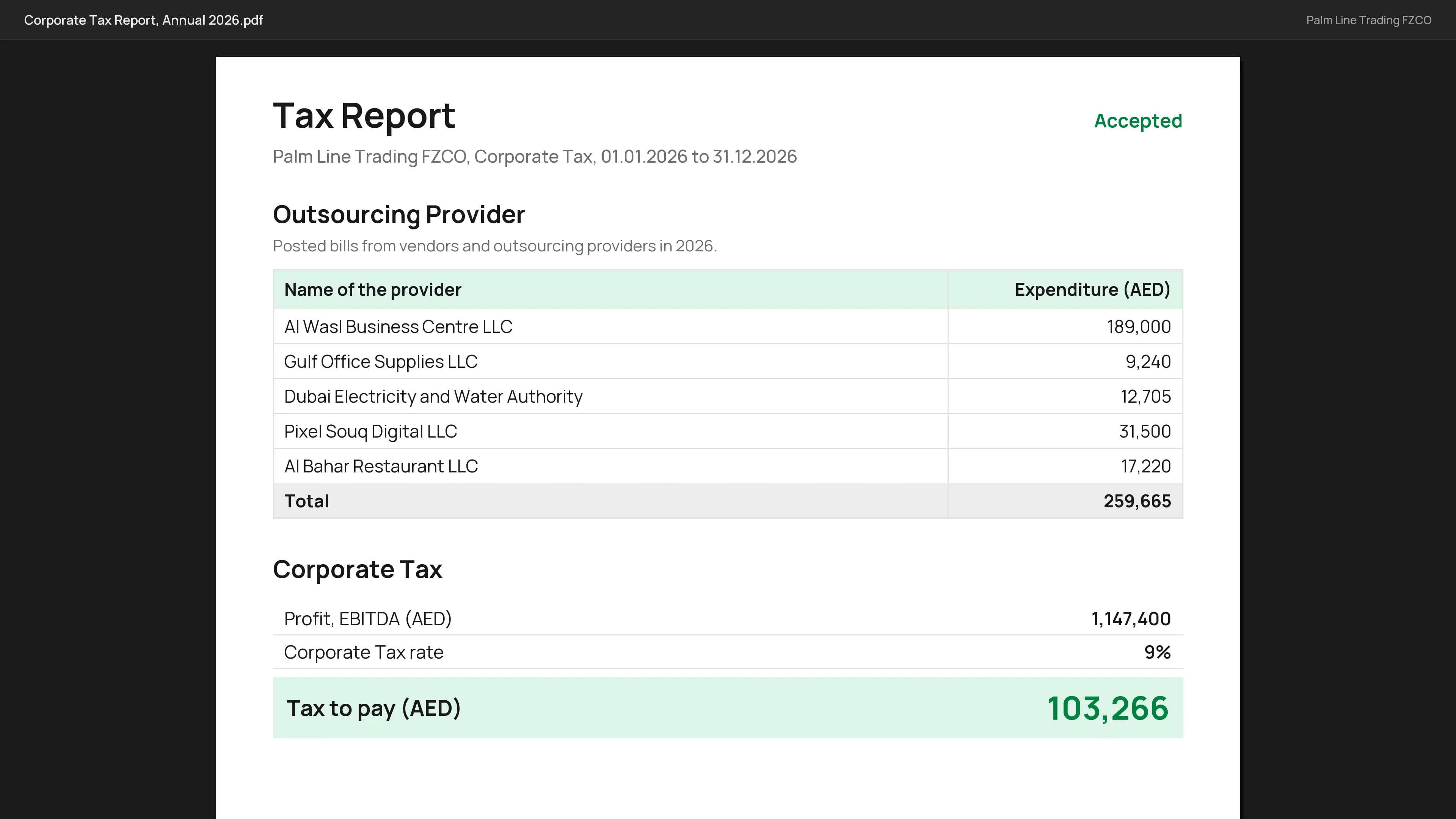
Money paid to suppliers and contractors lowers your profit, and your tax. SAHL.TAX fills in the report, calculates the 9% Corporate Tax and gives you the PDF.
A new way
You don't need an agency
to file your taxes.
A small company has a few dozen bank transactions a month. Upload the statements and SAHL.TAX does the rest.
With SAHL.TAX
Every line checked,
at every level.
Every line links to its document. AI does the work, then a tax expert verifies it. Set up the integration once, and your reports are FTA compliant, checked against the law and our SOPs.
Sanctions check
Know who you work with. Before you pay.
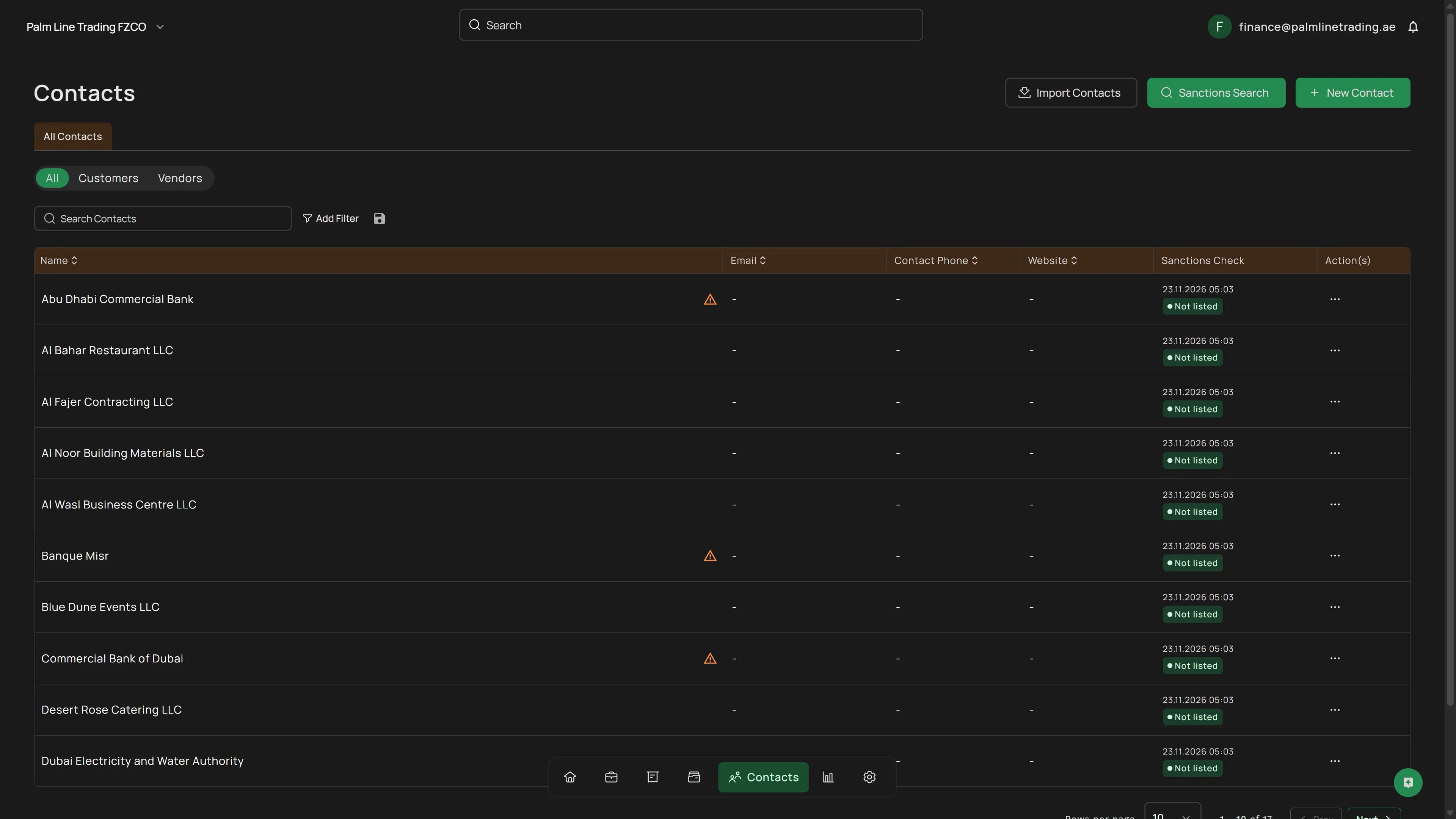
Every customer and vendor in SAHL.TAX is checked in our own local database against 9 sanctions lists, and the result is shown next to the contact.
Be the first to know when a partner, or your own company, lands on a sanctions list, so you can act before any money moves.
We refresh the lists several times a day and check all your contacts again. If anything changes, you get an alert at once by email, WhatsApp or Telegram.
- OFAC SDN
- OFAC non-SDN
- BIS
- EU
- UK
- UN
- Canada
- Australia
- Japan
More than a tax return
One place for your books, banks, orders and taxes
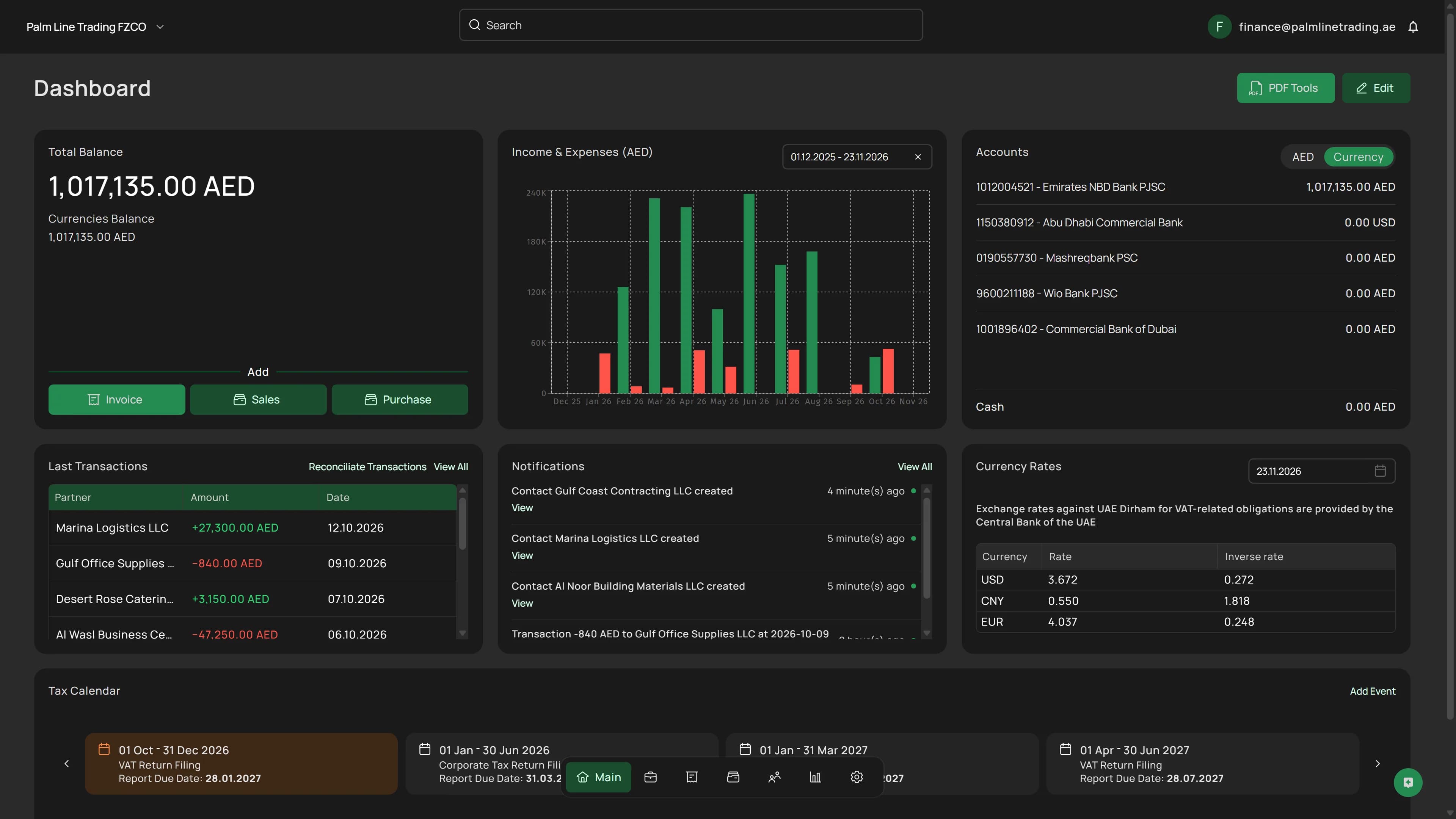
Already keep your books in Odoo, Zoho or Tally? SAHL.TAX connects to them, so you keep your system and nothing is typed twice.
All banks on one screen
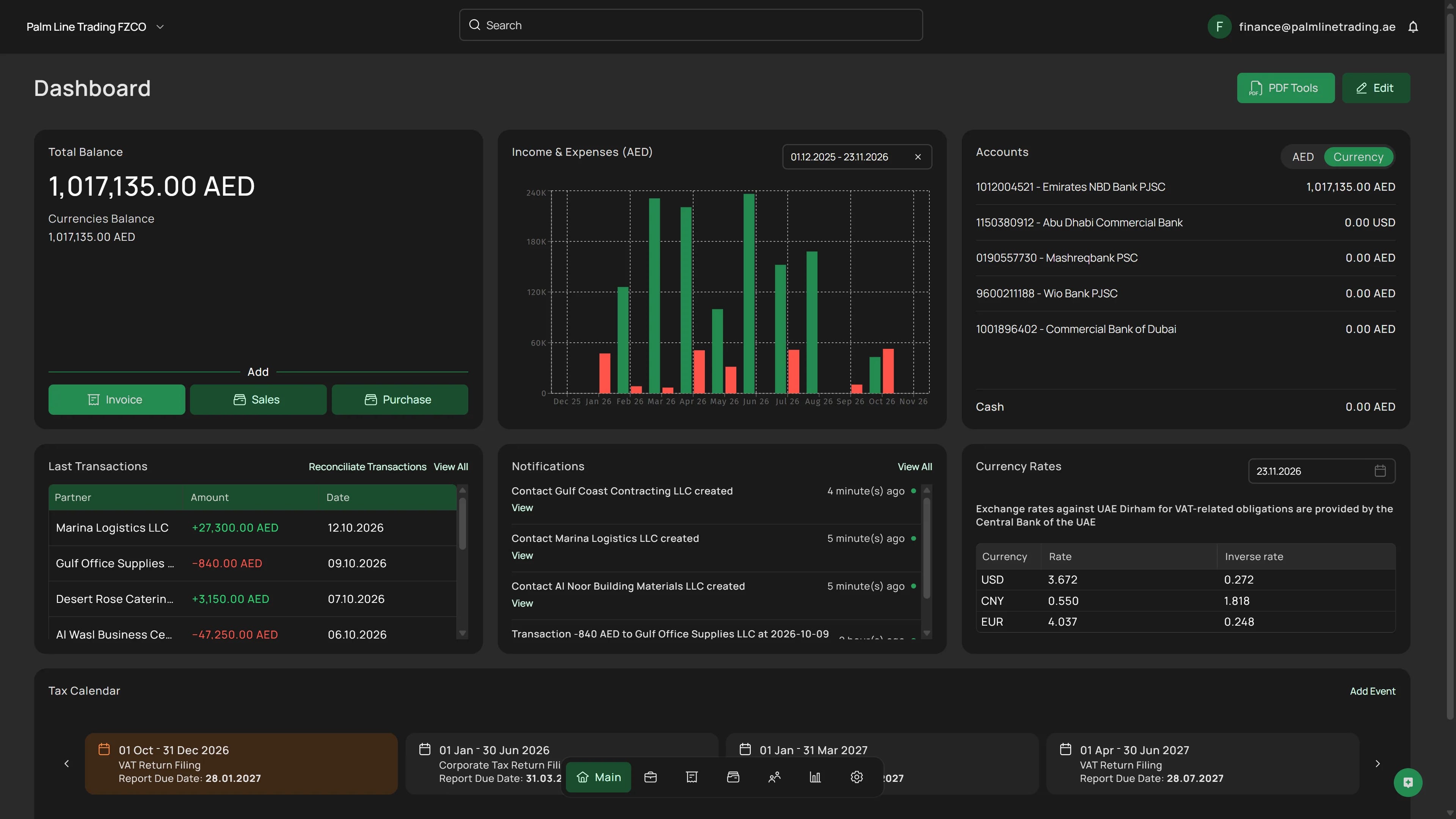
Statements from any UAE bank in PDF. Balances and cash flow on one dashboard.
Invoices from photos
Upload a photo or a PDF of a bill. AI reads it, you confirm.
AI reconciliation
AI links each payment to the right client and invoice. Part payments and bank fees too.
Sanctions and company checks
Check any company for free on check.sahl.tax, even before you sign with them.
Invoices straight to your client
If your client is on SAHL.TAX too, invoices and orders land in their books. No email, no typing.
E-invoicing ready for 2027
Send e-invoices in the UAE format today, before they become mandatory.
UAE e-invoicing
E-invoicing for SMEs, in action
Choose an accredited service provider by 31 March 2027. From 1 July 2027 every UAE company with revenue under AED 50 million sends its invoices to companies and government bodies as e-invoices through that provider. With SAHL.TAX you are ready today: create the invoice as usual and it goes out in the UAE format.
- Invoices, credit notes and debit notes in the UAE e-invoice format.
- We check the TRN, the VAT category and the totals, so your provider does not reject the invoice.
- Sent through the accredited provider you choose, with the status of every invoice.
- You create invoices the way you do today.
Invoices go straight from company to company inside the SAHL.TAX platform.
Through accredited service providers, with the tax data reported to the FTA.
The UAE five corner model: you, two accredited service providers, your client and the FTA.
Corporate Tax and VAT
UAE tax rules, built in
SAHL.TAX applies every exemption and relief your company can use, so you do not pay more tax than the law asks.
0%Corporate Tax on qualifying income
Free zoneBest for free zone companiesYour free zone company can pay 0% on qualifying income. To keep it, revenue that does not qualify must stay under 5% of the total and under AED 5 million. SAHL.TAX splits your revenue and runs this test for you.- 0% up to AED 375,000Corporate Tax is 9% only on the part of taxable income above AED 375,000.
- Small Business ReliefRevenue up to AED 3 million? Elect the relief and pay no Corporate Tax, for tax periods ending by 31 December 2026.
- No VAT below AED 375,000VAT registration is required once taxable sales pass AED 375,000 a year. Voluntary from AED 187,500.
- Every FTA electionBusiness Restructuring Relief, transitional rules for assets held before 1 June 2023 and the other elections are part of the return, each explained.

Taxes done easily.
From your bank statements to your FTA report.